01
Build by describing.
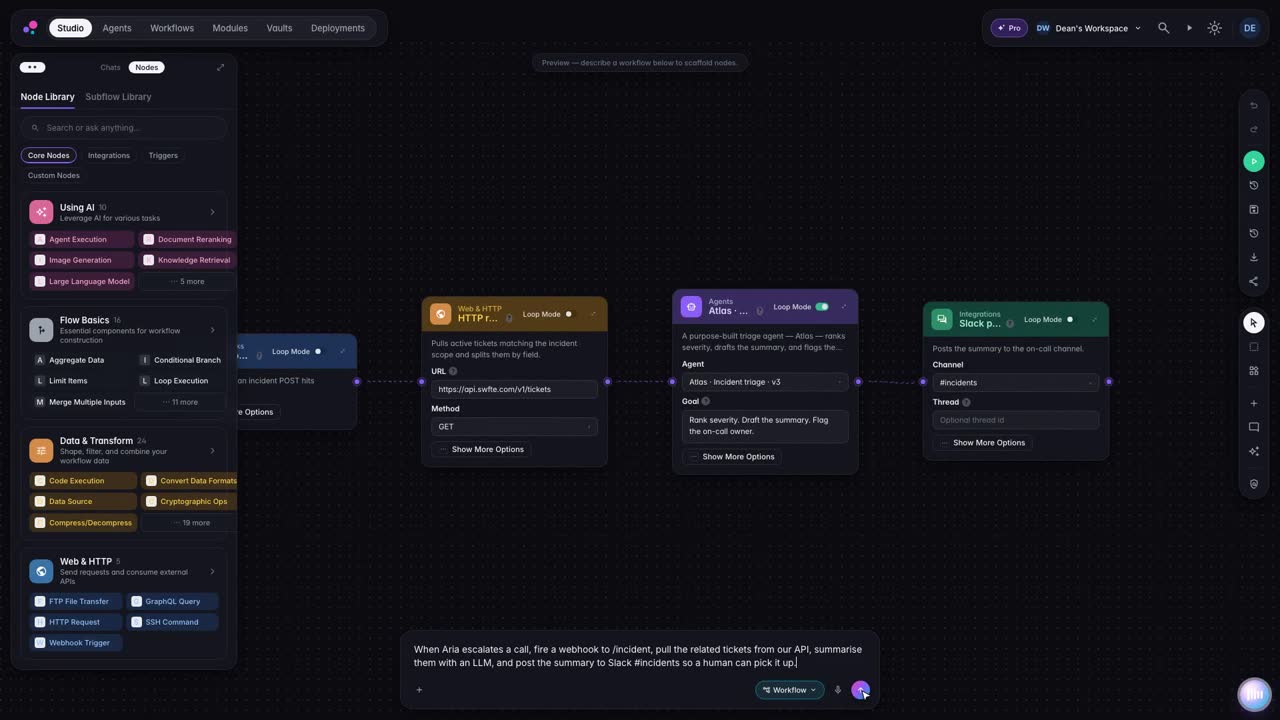
Say what the agent should do. Studio assembles the workflow from building blocks you can inspect and change.
Available
04 Studio
Build agents and workflows visually or by describing them. Policies decide what they may do, and a person takes over when it matters.
[ 04 ] StudioBuild. Govern. Run.
01 In this layer
02 [ 04.A ]
Describe the job. Studio assembles the steps from building blocks you can inspect and change.
03 [ 04.B ]
Approval steps pause the run until someone decides. A gate never approves itself.
04 [ 04.C ]
Each run is written to a run ledger you can read and verify.
05 See it work
Ask Studio
Build a voice agent that answers support calls, keeps private details out of the conversation and hands the call to a person when it should.
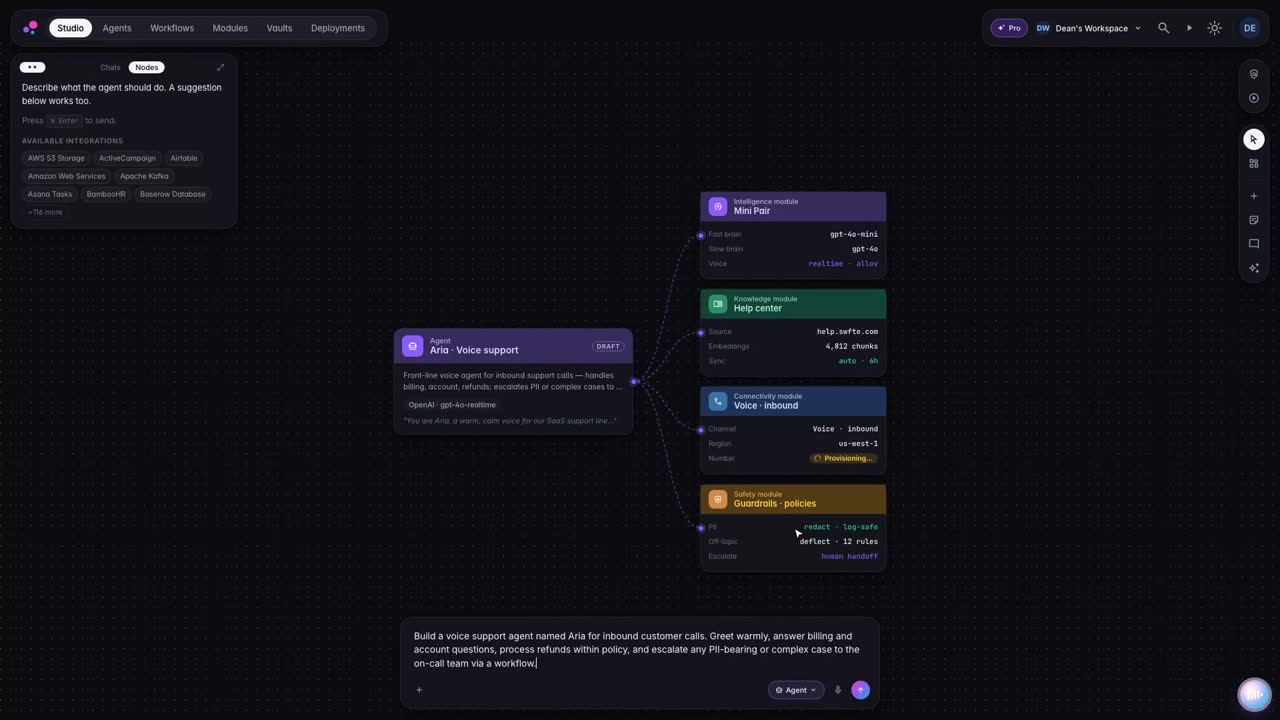
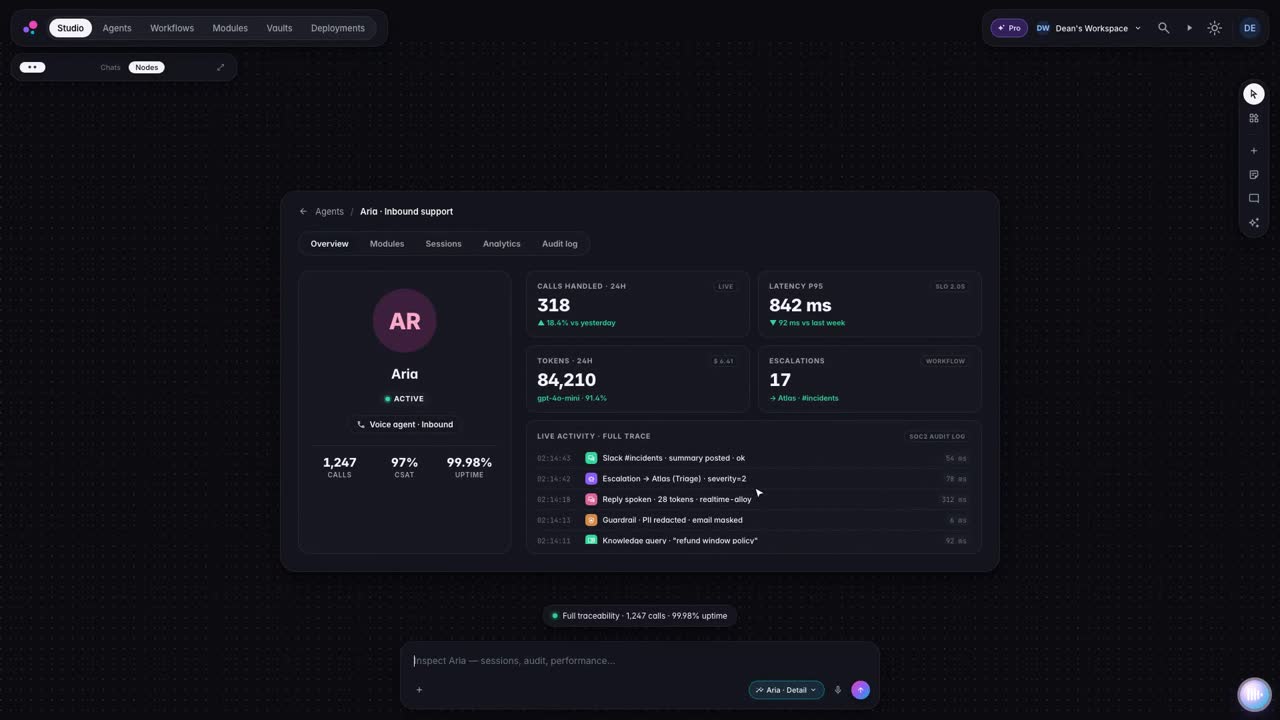
[ 05.A ] Excerpts from the Studio trailer. Muted, looped, captions on request.
How it works
Say what the agent should do. Studio assembles the workflow from building blocks you can inspect and change.
Guardrails keep private information out and the agent on topic. Policies apply at runtime on runs that have one attached.
When a conversation needs a human, the agent passes it on with a summary, and your team takes it from there.
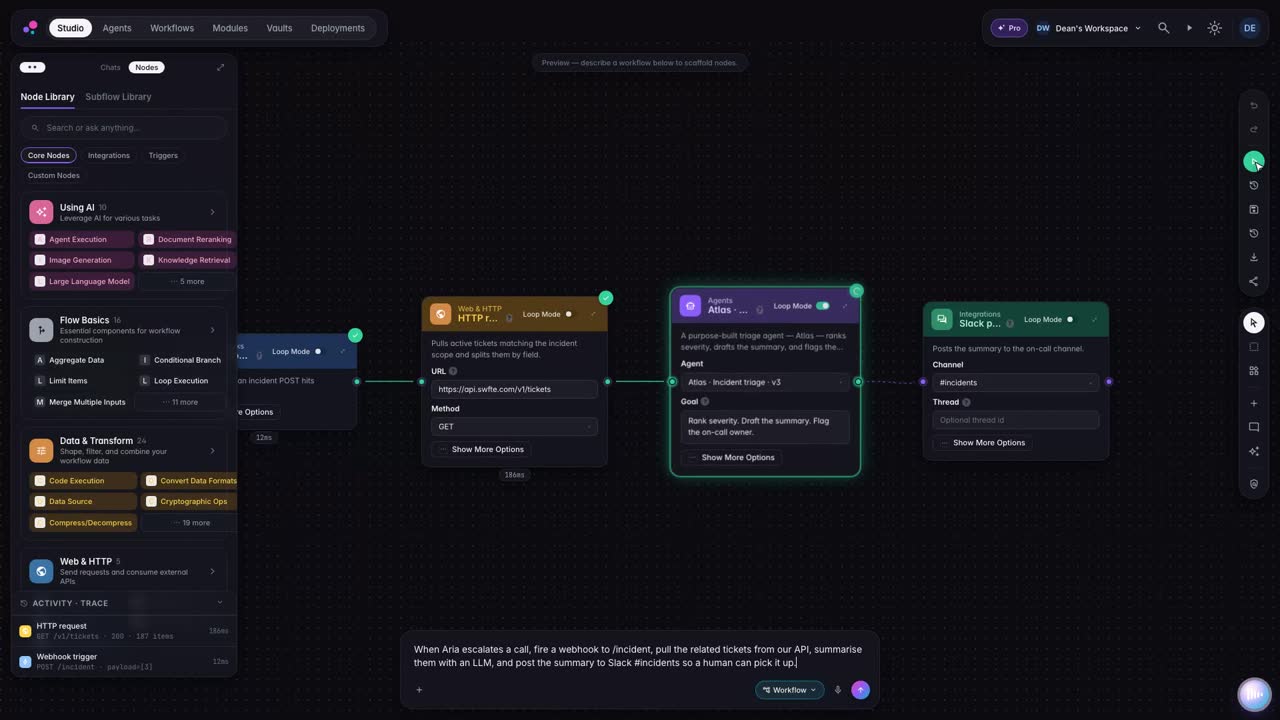
Step inside any agent: every conversation and every action, recorded for the people who answer for it.
06 Agent thread
One sentence becomes a workflow with its systems, an approval gate and a policy, tested before it goes live.
Illustrative example with a fictional company. Not a real customer, not real data.
/new-workflowRoute refund requests over the threshold to finance for approval
I will draft it, connect your systems and test it before anything goes live.
No card data in prompts. Runs stay in the EU region. Refunds over the threshold wait for a person.
Designed forReady to publish. Refunds over the threshold will wait for Finance Operations.
AvailableMit Swfte Studio können Sie KI-Agenten, Konversations-Chatflows, automatisierte Workflows und Multichannel-Erlebnisse erstellen. Von Kundensupport-Bots bis zur Vertriebsautomatisierung, von der Dokumentenverarbeitung bis zur Datenanalyse—wenn es KI beinhaltet, können Sie es in Studio erstellen.
Studio templates give you a starting point, and the time to a first working agent depends on your use case, data and integrations. For custom enterprise solutions, we scope timelines with you.
Keine Programmierung erforderlich! Studio ist für jeden konzipiert—vom Geschäftsanwender bis zum Entwickler. Die visuelle Drag-and-Drop-Oberfläche macht das Erstellen von KI-Erlebnissen so einfach wie das Zusammensetzen von Blöcken.
Studio verbindet sich sofort mit über 100 Tools: Salesforce, HubSpot, Slack, Microsoft 365, Google Workspace, GitHub, Zendesk, Notion und viele mehr. Außerdem können Sie mit unserer API jedes benutzerdefinierte System verbinden.
Guides
Buyer guides
Other products

[ 07 ] One platform
Start with one layer and prove it. Add the next when you are ready. The controls come with you.
Describe what you need in plain language. Studio builds the agents and workflows, and you keep every version.