01
Build by describing.
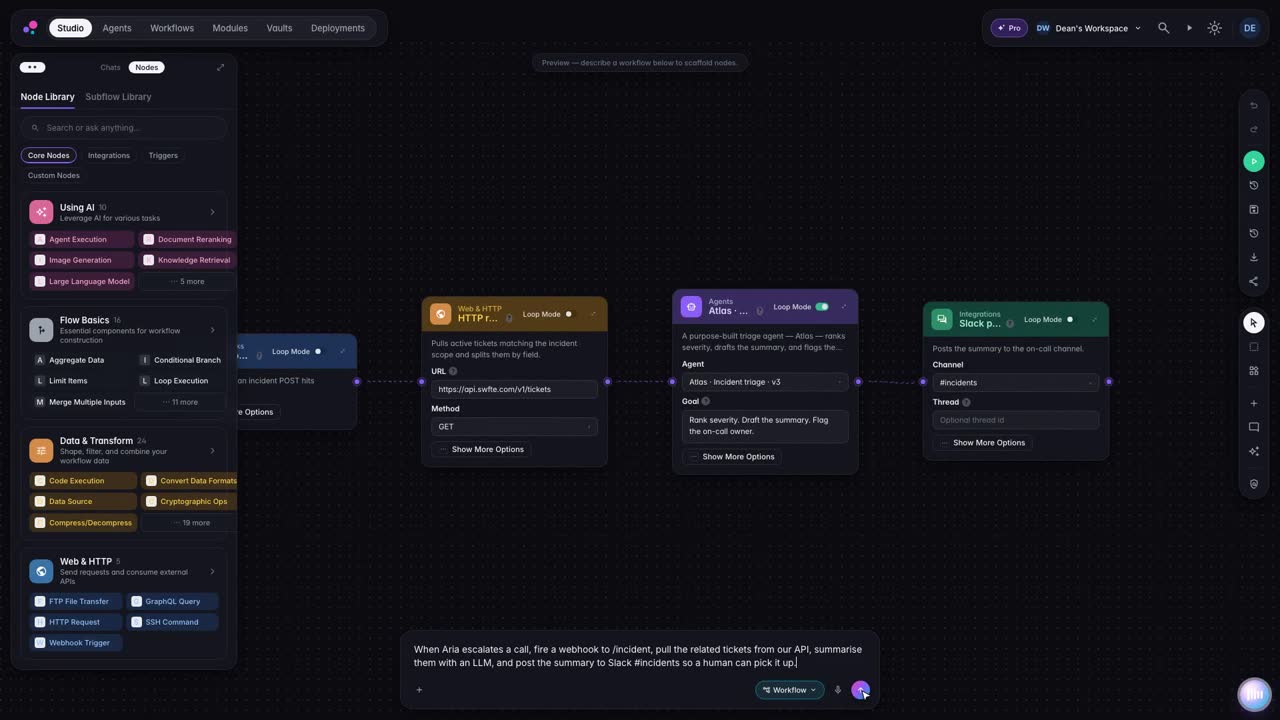
Say what the agent should do. Studio assembles the workflow from building blocks you can inspect and change.
Available
04 Studio
Build agents and workflows visually or by describing them. Policies decide what they may do, and a person takes over when it matters.
[ 04 ] StudioBuild. Govern. Run.
01 In this layer
02 [ 04.A ]
Describe the job. Studio assembles the steps from building blocks you can inspect and change.
03 [ 04.B ]
Approval steps pause the run until someone decides. A gate never approves itself.
04 [ 04.C ]
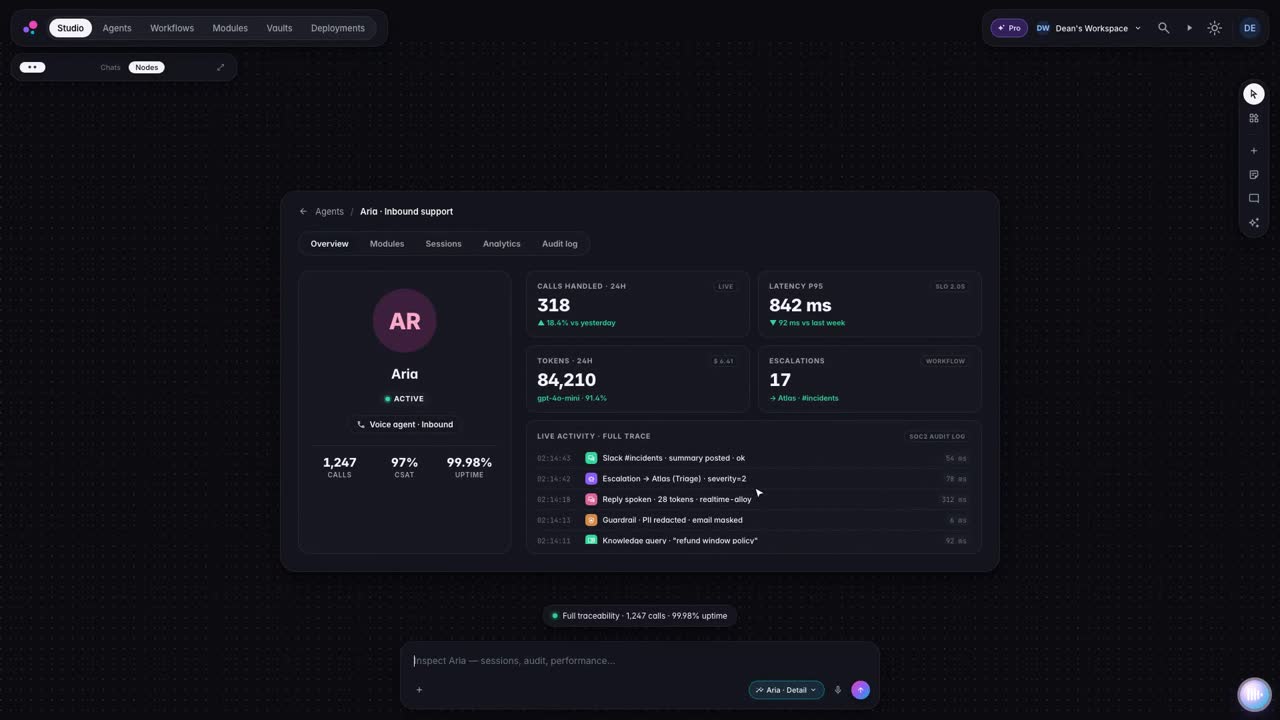
Each run is written to a run ledger you can read and verify.
05 See it work
Ask Studio
Build a voice agent that answers support calls, keeps private details out of the conversation and hands the call to a person when it should.
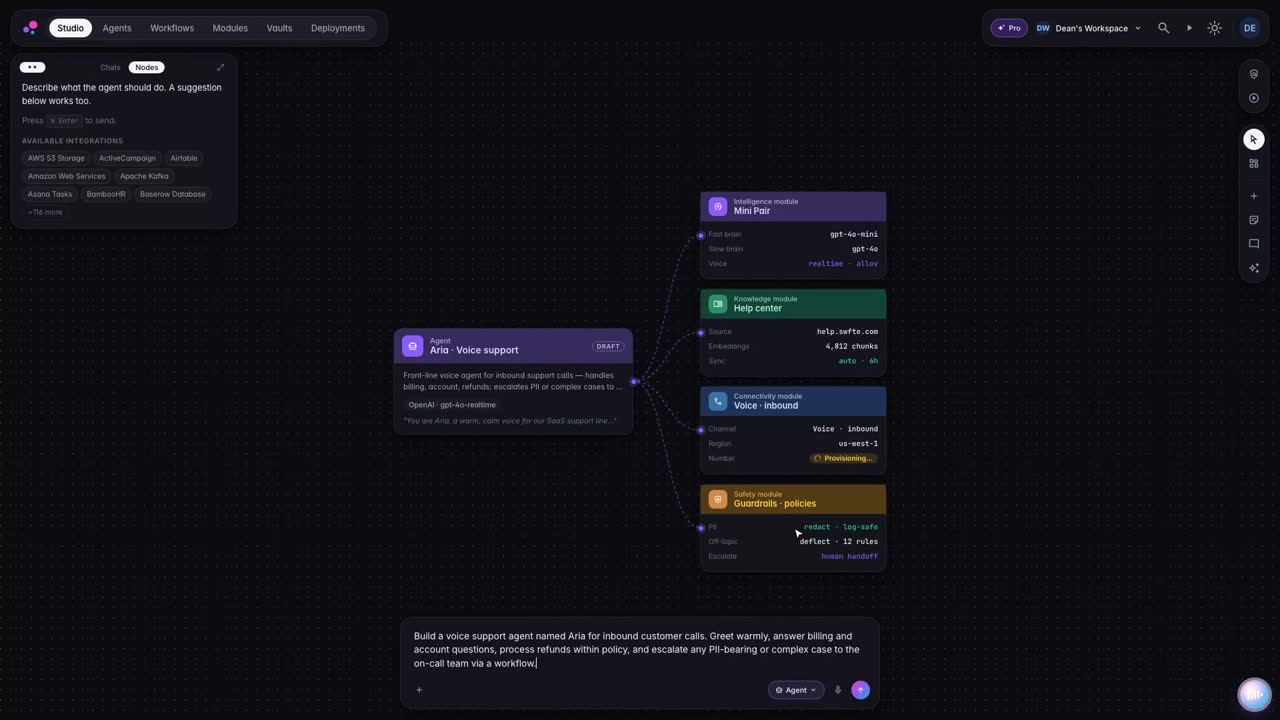
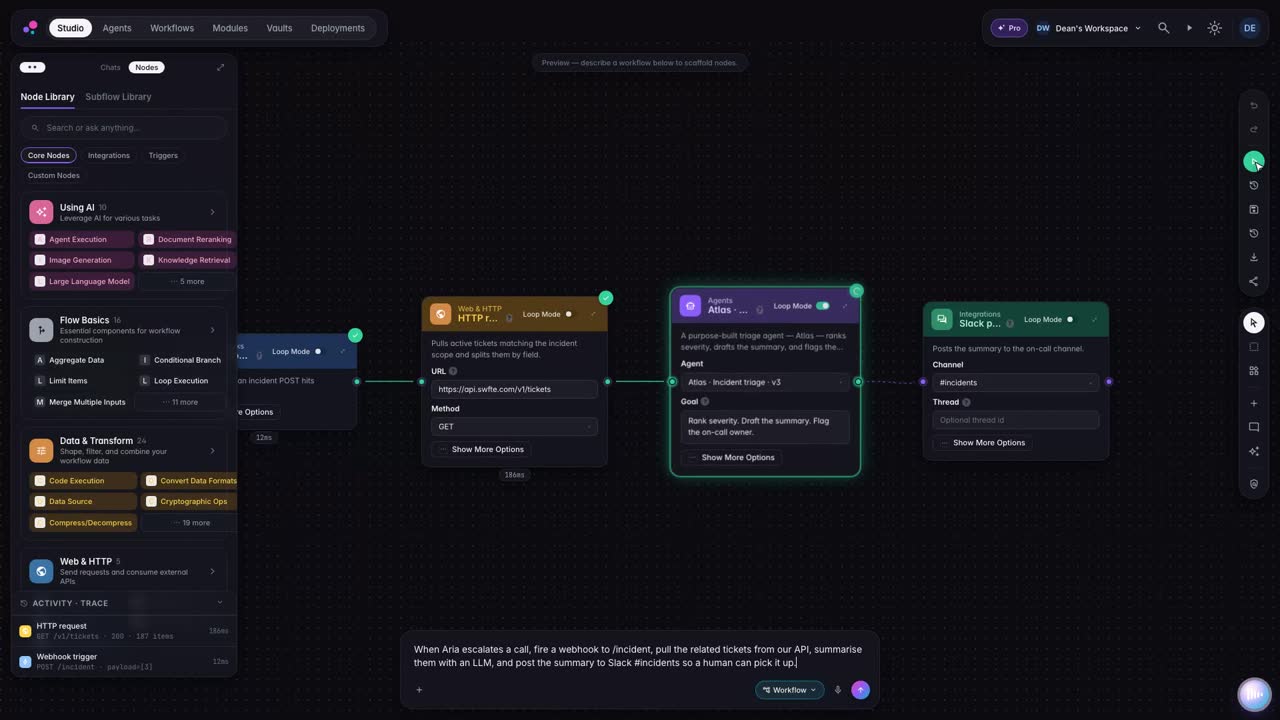
[ 05.A ] Excerpts from the Studio trailer. Muted, looped, captions on request.
How it works
Say what the agent should do. Studio assembles the workflow from building blocks you can inspect and change.
Guardrails keep private information out and the agent on topic. Policies apply at runtime on runs that have one attached.
When a conversation needs a human, the agent passes it on with a summary, and your team takes it from there.
Step inside any agent: every conversation and every action, recorded for the people who answer for it.
06 Agent thread
One sentence becomes a workflow with its systems, an approval gate and a policy, tested before it goes live.
Illustrative example with a fictional company. Not a real customer, not real data.
/new-workflowRoute refund requests over the threshold to finance for approval
I will draft it, connect your systems and test it before anything goes live.
No card data in prompts. Runs stay in the EU region. Refunds over the threshold wait for a person.
Designed forReady to publish. Refunds over the threshold will wait for Finance Operations.
AvailableSwfte Studio에서 AI 에이전트, 대화형 챗플로우, 자동화된 워크플로우, 멀티채널 경험을 구축할 수 있습니다. 고객 지원 봇부터 영업 자동화, 문서 처리부터 데이터 분석까지—AI와 관련된 것이라면 Studio에서 구축할 수 있습니다.
Studio templates give you a starting point, and the time to a first working agent depends on your use case, data and integrations. For custom enterprise solutions, we scope timelines with you.
코딩이 필요 없습니다! Studio는 비즈니스 사용자부터 개발자까지 모든 사람을 위해 설계되었습니다. 시각적 드래그 앤 드롭 인터페이스는 AI 경험을 블록 조립처럼 간단하게 만들어 줍니다.
Studio는 100개 이상의 도구와 기본적으로 연결됩니다: Salesforce, HubSpot, Slack, Microsoft 365, Google Workspace, GitHub, Zendesk, Notion 등. 또한 API를 통해 모든 맞춤형 시스템에 연결할 수 있습니다.
Guides
Buyer guides
Other products

[ 07 ] One platform
Start with one layer and prove it. Add the next when you are ready. The controls come with you.
Describe what you need in plain language. Studio builds the agents and workflows, and you keep every version.